

How to use Katanox: property operators
We built Katanox to streamline & simplify every hospitality payment. With this solution, hotels receive faster, guaranteed payouts and cleaner settlement data.
This guide
- Is tailored for: admins and operators of a hotel property
- Covers: how to set up your Katanox workspace, and make the most of Katanox's features
Setting up your account
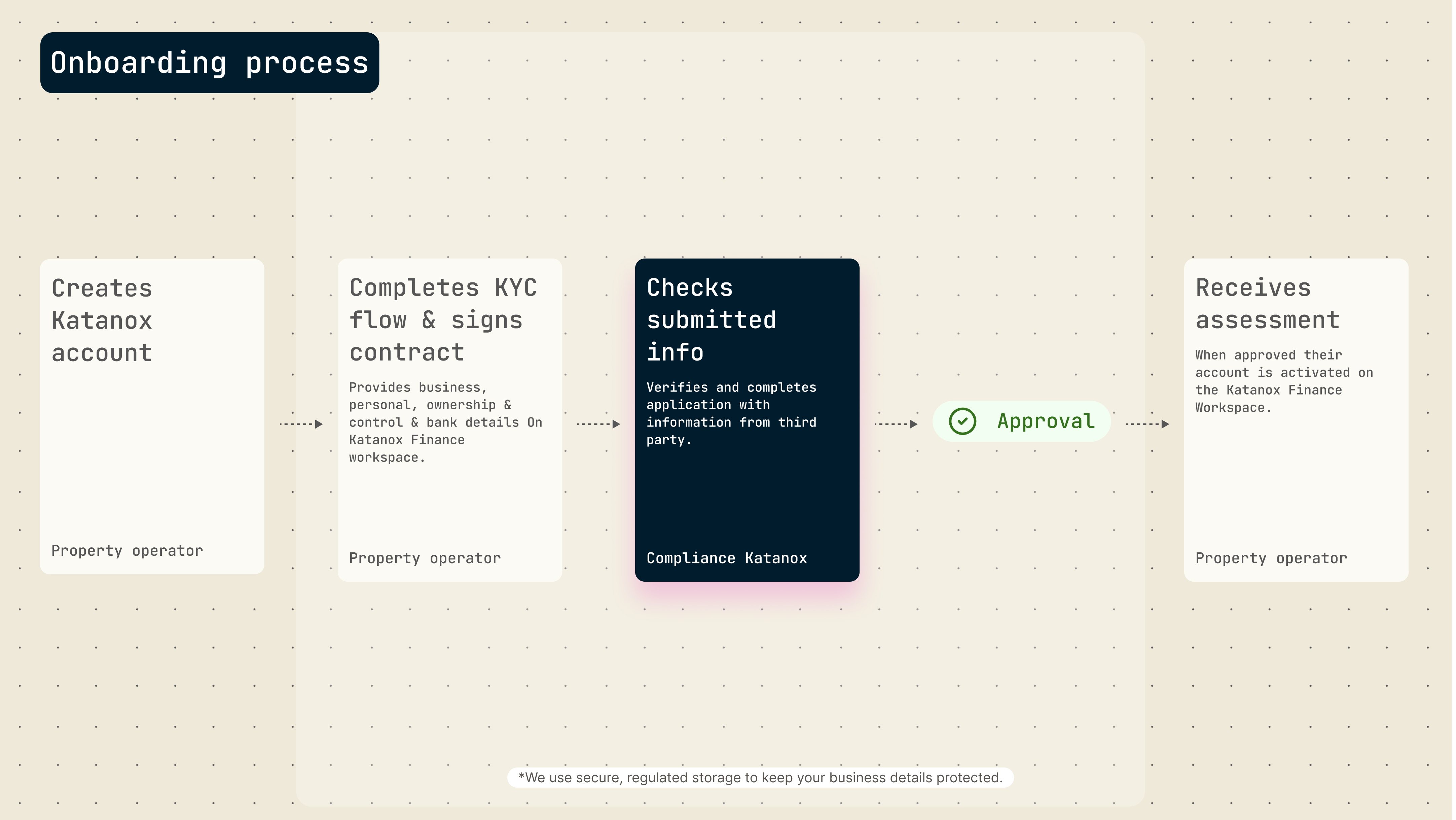
Create an account
- Sign up at the Katanox Finance Workspace using your work email (recommended)
- Note: You’ll need signing authority for your business to complete the onboarding.
- Create a company account for your business
Go through KYC
Katanox is required under our financial license obligations to get to know, assess and approve you as our customer, including your legal entity and affiliated natural person information through the Know Your Customer (KYC) process.
Organizing your team
Invite your team members directly in the platform and scale operations safely. You can assign roles and manage access levels under Settings → Team Management, so the right people can manage payouts.
Receiving payments
At the end of the day, all materialized reservations are added to the payout and transferred to your bank account.
The materialization timing depends on the booking type and applicable policies. Depending on the setup, reservations may materialize immediately after booking confirmation, at check-in, or at check-out.
You can track the status of processed payouts in the Finance workspace.
Reviewing reports
As an admin of your company account, you'll receive the following reports in your email for your reconciliation process;
- Bookings report: listing all bookings associated with a single payout
- Transaction report: linking payouts to bank transfer details
Depending on the commercial agreement and payment configuration, the reports can also include a detailed breakdown of taxes, commission, and applicable fees.
Support
If you're having issues while onboarding or have any other questions, you can reach out to us through:
- Phone: +31 20 793 2705 (Mon - Fri, 9:00 - 17:00 CET/CEST | Amsterdam business hours)
- Email: [email protected]